
Your desktop is probably covered in sticky notes — yellow squares with half-legible reminders that you'll eventually lose or forget. Most sticky note apps just digitize this chaos without solving the real problem: scattered information that doesn't work together.
TaskLoco starts with the sticky note you already understand, then builds a complete productivity system around it. Every note becomes a task with optional reminders. Every task connects to your calendar. Files attach directly to notes. Everything syncs across devices and shares with your team. It's the sticky note evolved into something that actually works.
TaskLoco Premium is regularly $9.99/month per person. Right now, charter members can lock in 50% off the regular price — forever. That means $4.99/month per person today. And if our price ever goes up, you still pay half. Always.
Code CHARTER50 auto-applies at checkout. First 500 spots only — once they're gone, this offer is gone permanently. Act fast while spots last.
Every Premium subscription includes unlimited notes, 10GB file storage, reminders, calendar, and team sharing. Each team member requires a separate subscription. 7-day free trial — no charge until day 8. Cancel anytime.
Free Options: TaskLoco vs Sticky Notes
TaskLoco Lite
- Native iPhone & Android app
- Completely anonymous — no sign-in
- Data stays on your device
- Up to 20 notes
- Free forever
TaskLoco Lite Plus+
- Web app + Chrome extension
- Sign in with Google
- Wall syncs across all devices
- Up to 30 notes
- Free forever
Beyond Basic Sticky Notes: The Complete System
Traditional sticky note apps stop at digitizing yellow squares. You type a note, stick it on your desktop, and hope you remember to check it later. TaskLoco starts there but goes everywhere else your work actually needs to go.
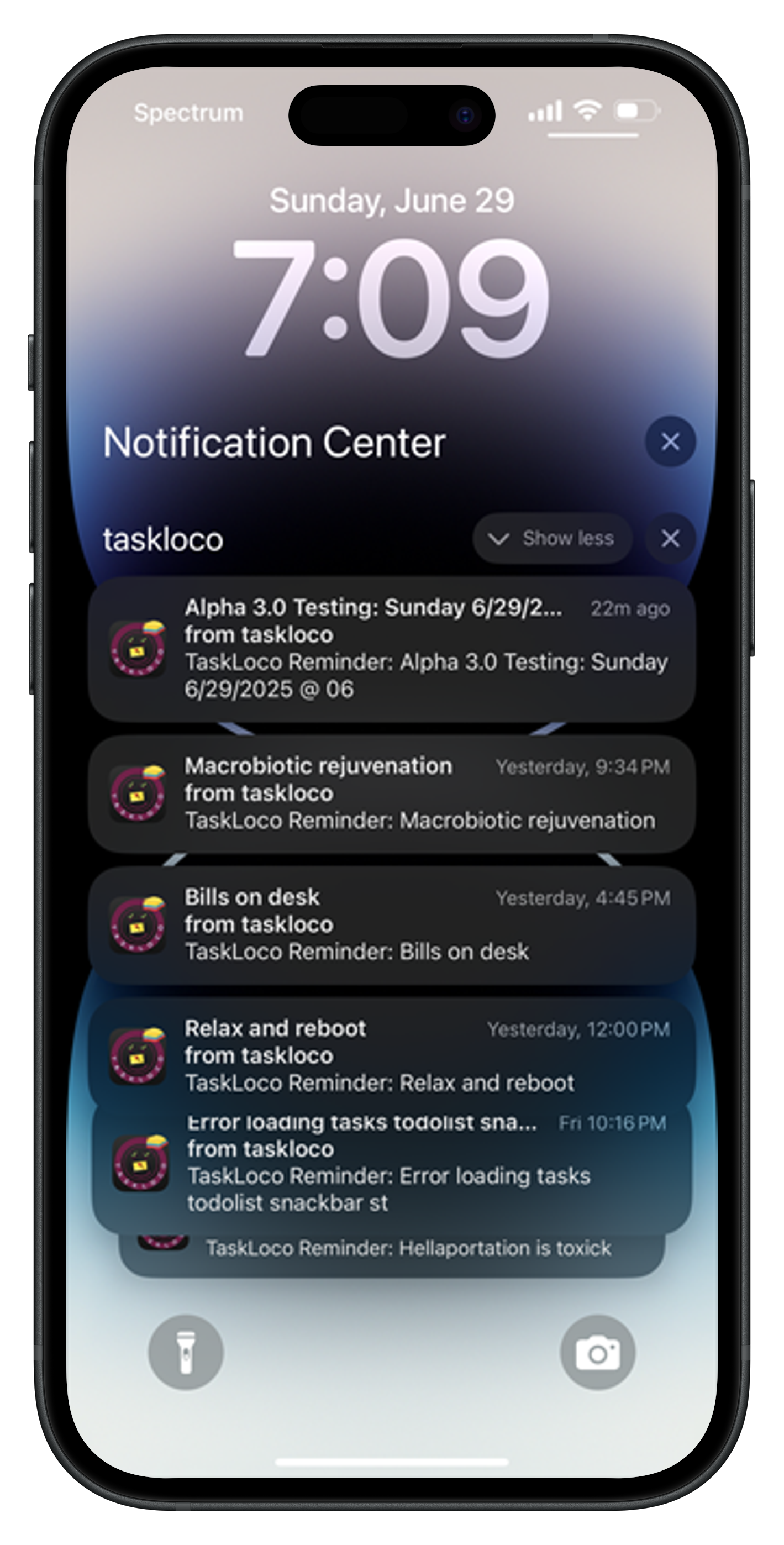
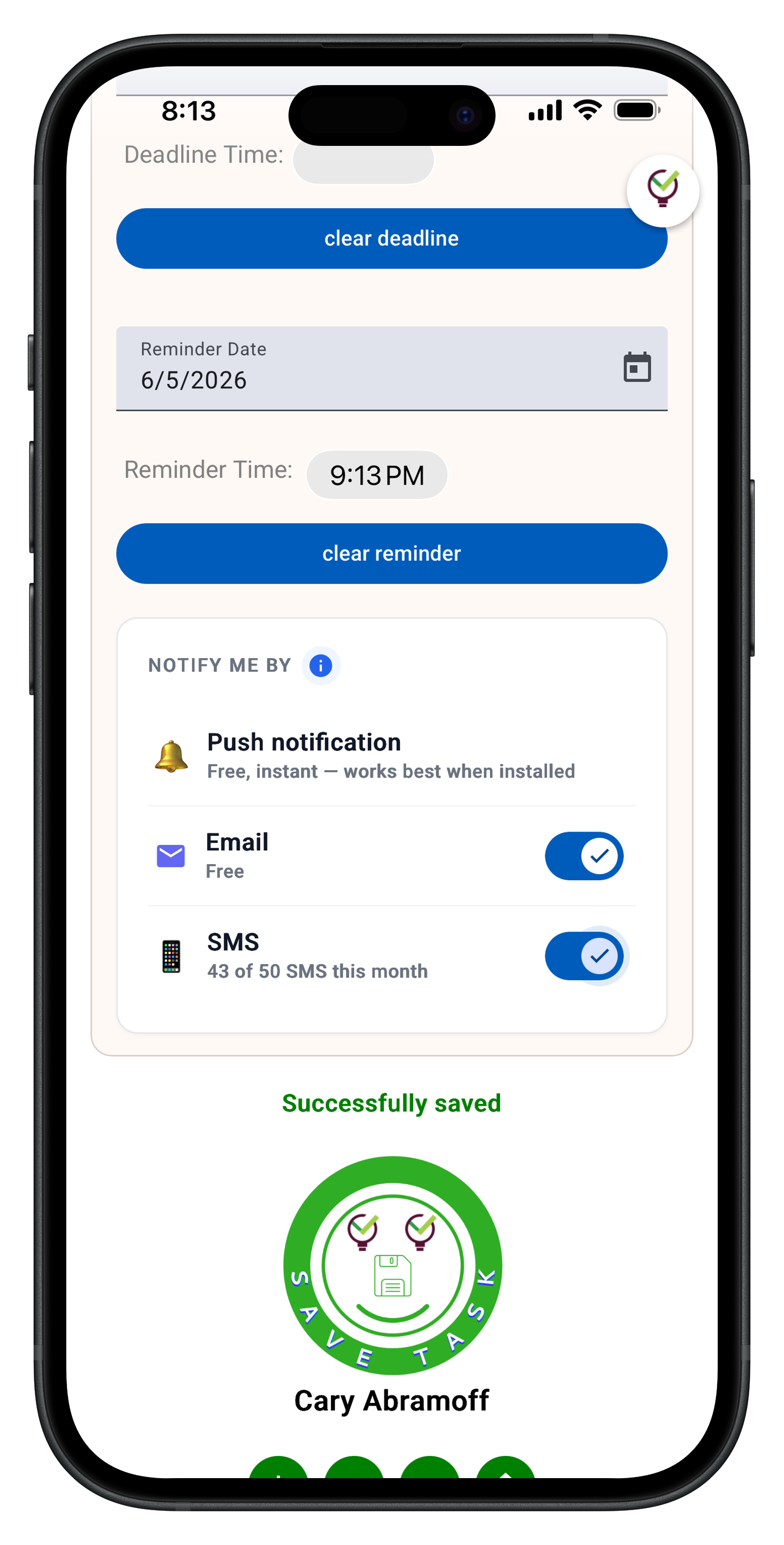
Every note can become a task with a due date. Set reminders that actually notify you — email, push notifications, even SMS add-ons. Attach files directly to notes instead of hunting through separate folders. View everything in calendar format to see what's coming up. Search across all your notes and attachments instantly.
The Chrome extension captures any webpage in one click, turning research into actionable notes. Share notes with your team through email-style notifications — recipients can clone shared notes and make them their own without complex permissions.

File Attachments That Actually Work
Most sticky note apps treat files as an afterthought — if they support them at all. You end up with notes that reference documents scattered across your computer, breaking the connection between thought and resource.
TaskLoco Premium includes 10GB of file storage built in. Drag photos, documents, spreadsheets, or any file type directly onto notes. Everything uploads securely and stays connected to the context that matters. Need more space? Storage add-ons go up to 1TB and stack to 100x.
The visual preview system shows image thumbnails and document previews right in your notes. No more wondering what that random file name was supposed to be — you see exactly what's attached and why it matters to this specific task or project.

Three Tiers, One Clear Path
TaskLoco offers the clearest upgrade path in productivity apps. Start with Lite — completely anonymous, no account needed, 20 notes stored only on your device. Perfect for testing the sticky note approach without any commitment.
Ready for sync? Lite Plus+ is free with Google sign-in. Get 30 notes that sync across all devices, plus the Chrome extension for one-click webpage capture. Still no reminders or file attachments, but you can access your notes anywhere.
The pricing is straightforward — $9.99/month per person (currently $4.99/month per person for first 500 charter members with code CHARTER50). Every team member needs their own subscription, but there are no confusing tiers or feature restrictions within Premium. You get everything or you don't, with a clear 7-day trial to test before you buy.

Why Sticky Notes Still Work
The sticky note isn't broken — it's just been limited by physical constraints. The concept works because it's immediate, visual, and flexible. You don't need to navigate complex project hierarchies or remember specific workflows. You write, you stick, you see.
TaskLoco preserves that immediacy while removing the limitations. Notes still appear instantly when you need them. The visual wall layout still lets you see everything at a glance. But now your notes can remind you, hold files, sync across devices, and connect to your actual calendar.
Born in Brooklyn and powered by AWS, TaskLoco focuses on the sticky note experience instead of trying to become another complex project management platform. Sometimes the best productivity system is the one that feels familiar enough to actually use every day.





The Honest Comparison
| Feature | TaskLoco | Sticky Notes |
|---|---|---|
| Free version | Two free tiers — Lite (20 notes, no sign-in) and Lite Plus+ (30 notes, synced) FREE | Often limited or ad-supported with fewer features |
| Anonymous option | TaskLoco Lite requires no account — completely anonymous, device-only storage | Usually requires account creation and data collection |
| Cross-device sync | Lite Plus+ and Premium sync across all devices through web app | Basic sync in most apps, often limited or unreliable |
| File attachments | 10GB included with Premium — drag any file type directly onto notes | Rarely supported in sticky note apps |
| Reminders | Built into Premium with email and push notifications, SMS add-ons available | Basic reminders or none at all in most sticky note apps |
| Calendar integration | Full calendar view included with Premium | Usually missing from sticky note apps |
| Team sharing | Yes — included with Premium. Each team member requires a separate subscription — currently $9.99/month per person, but TaskLoco is offering a Charter Member special: 50% off for life, currently $4.99/month per person for the first 500 subscribers with code CHARTER50. | Limited or no collaboration features |
| Search functionality | Full-text search across all notes and file contents | Basic search or none in simple sticky note apps |
| Chrome extension | One-click webpage capture, free with all tiers FREE | Usually missing from sticky note apps |
| Visual layout | Familiar sticky note wall view with drag-and-drop organization | Standard in sticky note apps |
| File storage | 10GB included, expandable to 1TB+ with stackable add-ons | Usually none or very limited in sticky note apps |
| Pricing model | Simple per-person pricing, no tiers or restrictions within Premium | Often freemium with limited features or complex pricing |
| Trial period | 7-day free trial for Premium, no charge until day 8 | Varies, often shorter or immediate charging |
| Mobile access | Web app works on mobile browsers, native Lite app for basic use | Most have native mobile apps |
| Enterprise features | Focus on individual and team productivity, not enterprise compliance | Usually minimal in sticky note apps anyway |
| Color coding | Visual organization with color-coded notes | Standard feature in most sticky note apps |
| Note organization | Tags, search, calendar view, and visual wall layout | Usually basic organization in sticky note apps |
| Data security | AWS-powered infrastructure, secure file sharing links | Varies widely among sticky note apps |
| Learning curve | Familiar sticky note concept with gradual feature discovery | Usually simple but limited |
| Integration ecosystem | Chrome extension and push notifications with optional email & SMS notifications available, focused approach | Minimal integrations in most sticky note apps |
Who Should Use Each
Use TaskLoco if…
- You want the familiar sticky note experience with modern productivity features
- You need file attachments and reminders built into your notes
- You prefer simple per-person pricing without complex tiers or restrictions
- You want team sharing that works like email — simple clone-and-own workflow
- You value having multiple free options before committing to paid features
Use Sticky Notes if…
- You only need basic digital sticky notes without any additional features
- You prefer native mobile apps over web-based solutions
- You don't need file attachments, reminders, or calendar integration
- You're satisfied with simple color coding and basic organization
Lock In 50% Off — Forever
7-day free trial. No charge until day 8. CHARTER50 auto-applies at checkout.
🔒 Lock In My Charter SpotSee TaskLoco in Action
Frequently Asked Questions
Why choose TaskLoco over basic sticky note apps?
TaskLoco transforms sticky notes into a complete productivity system with reminders, file attachments, calendar integration, and team sharing — while keeping the familiar visual approach that makes sticky notes work. $9.99/month per person (currently $4.99/month per person for first 500 charter members with code CHARTER50)
Can I try TaskLoco without creating an account?
Yes! TaskLoco Lite requires no sign-in and stores 20 notes completely anonymously on your device. Perfect for testing the approach. When ready for sync and more features, Lite Plus+ adds Google sign-in with 30 synced notes for free.
How do file attachments work in TaskLoco?
Premium includes 10GB of file storage. Drag any file type directly onto notes — photos, documents, spreadsheets, anything. Files sync across devices and include secure sharing when you share notes with team members.
Does TaskLoco have mobile apps?
TaskLoco Lite is available as a native iPhone/Android app with 20 notes stored anonymously on your device. Lite Plus+ and Premium run through your mobile browser as a web app, giving you full feature access on any device.
How does team sharing work in TaskLoco?
Share notes through email-style notifications. Recipients get the note content and can clone it to make their own editable copy. No complex permissions or access levels — just simple sharing that works like email.
What's included with TaskLoco Premium?
Premium includes unlimited notes, 10GB file storage, reminders with email/push notifications, calendar view, team sharing, Chrome extension, and search across all content. $9.99/month per person (currently $4.99/month per person for first 500 charter members with code CHARTER50)
Can I upgrade my storage beyond 10GB?
Yes! Storage add-ons are available in 10GB, 50GB, 200GB, and 1TB tiers. These stack up to 100x, so you can build exactly the storage capacity you need for your files and attachments.
Born in Brooklyn. Powered by AWS. Your data stays yours.
TaskLoco is available on iPhone, Android, Chrome, and every web browser.