You found something worth reading. You don't have time right now. So you do what everyone does — you leave the tab open. Three days later you have 40 tabs, a slow browser, and you can't remember why half of them mattered. There has to be a better way.
There is, and it's simpler than most people think. Saving a web page for later doesn't require a complicated system, a new subscription, or an hour of organizing. The right method takes one second, works on any page or video, and puts everything somewhere you'll actually look — and find it again.
Why Most People's 'Save for Later' System Breaks Down
There are really only a few ways most people try to save web pages, and each one has a predictable failure mode.
- Open tabs: The most common habit. It works for ten minutes. By end of week you have a browser that looks like a paper shredder exploded, and you're reloading pages you don't even remember opening.
- Browser bookmarks: Technically fine, practically useless for most people. Bookmarks go into a folder, folders get nested, and within a month the bookmark bar is a graveyard. There's no visual preview, no context for why you saved something, and no way to quickly scan what's there.
- Copy-pasting into notes: Works if you're disciplined enough to title every entry, add context, and maintain the habit. Most people aren't — and they shouldn't have to be.
- Read-later apps: Purpose-built tools like Pocket or Instapaper are genuinely useful for long-form reading, but they add friction. You need to open a separate app, and if you saved a YouTube video or a product page rather than an article, the experience is inconsistent.
The pattern is the same across all of them: the saving step is easy enough, but the finding it again later step fails. Visual context disappears. Intent disappears. The saved thing might as well not exist.
The Simplest Method That Actually Works: One-Click Visual Clipping
The method that holds up over time has three properties: it has to take less than two seconds, it has to preserve enough context that you know why you saved something, and the saved items have to live somewhere you'll naturally look again.
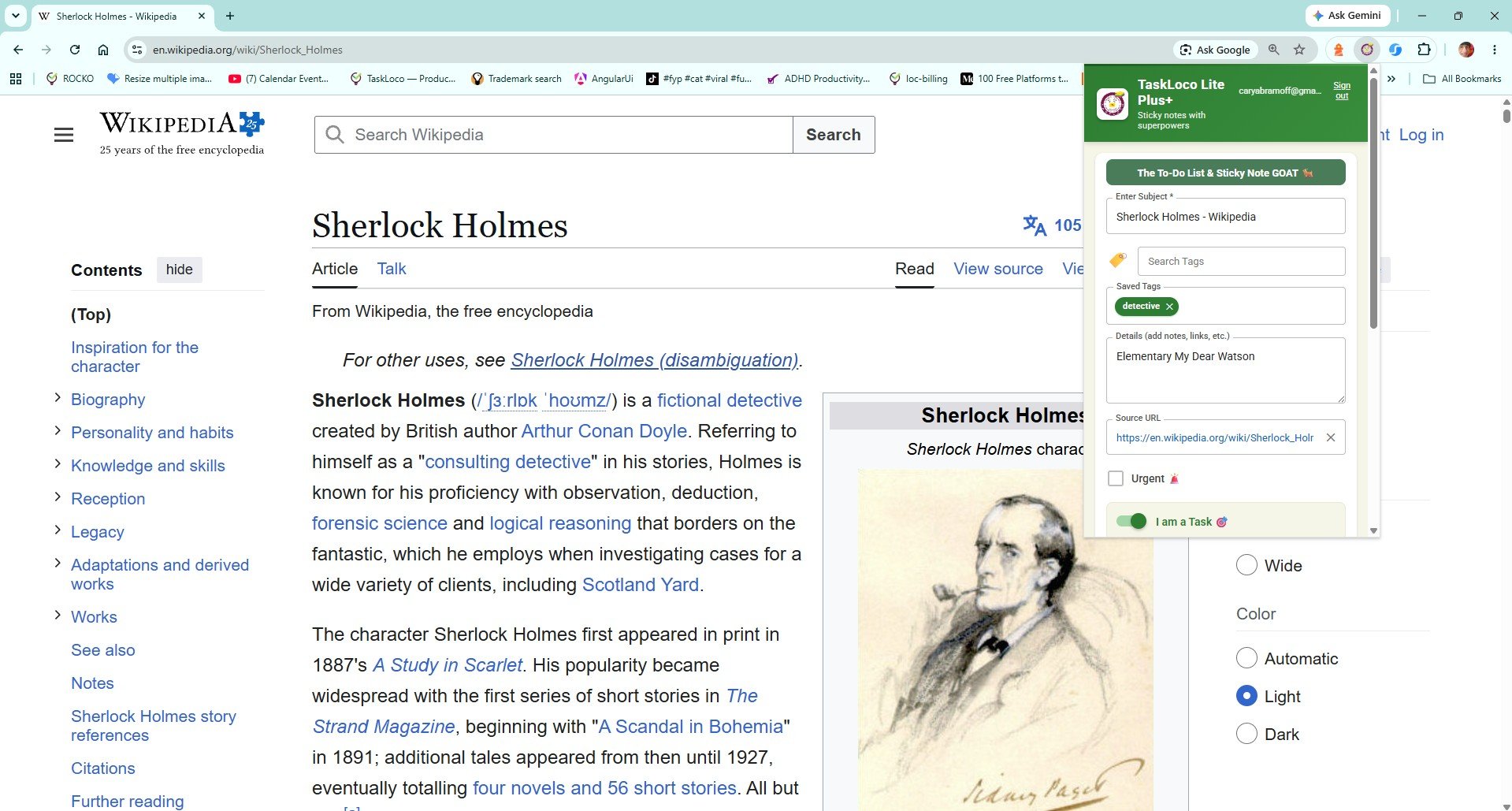
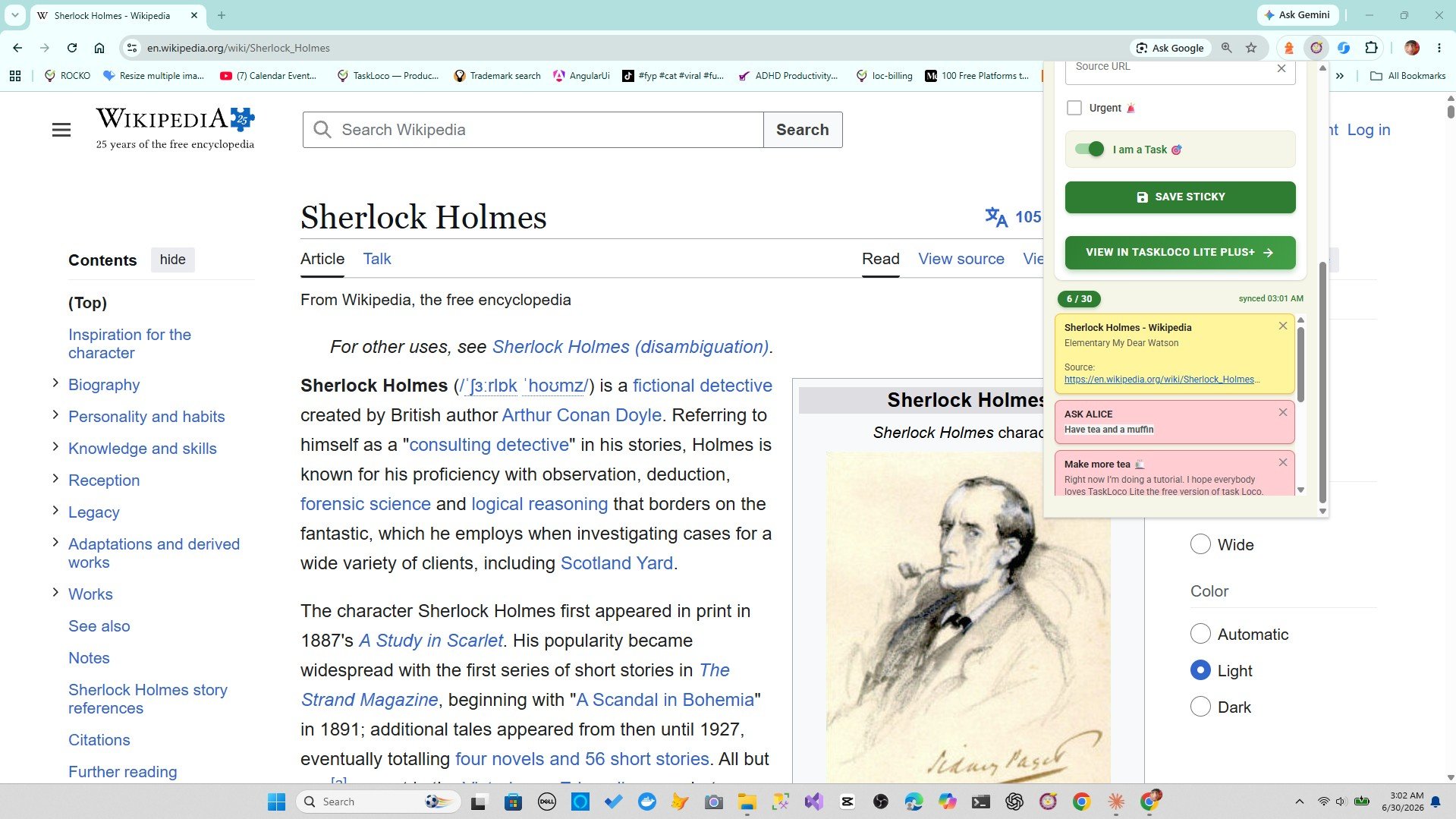
A browser extension that clips the current page as a visual sticky note — with the title and URL already filled in — satisfies all three. Here's the basic workflow:
- You're on any page: an article, a product, a research source, a YouTube video.
- You click one button in your toolbar.
- A sticky note appears with the page title and URL already there. You can add a quick thought or just save it as-is.
- Done. The tab can close. The page is yours.
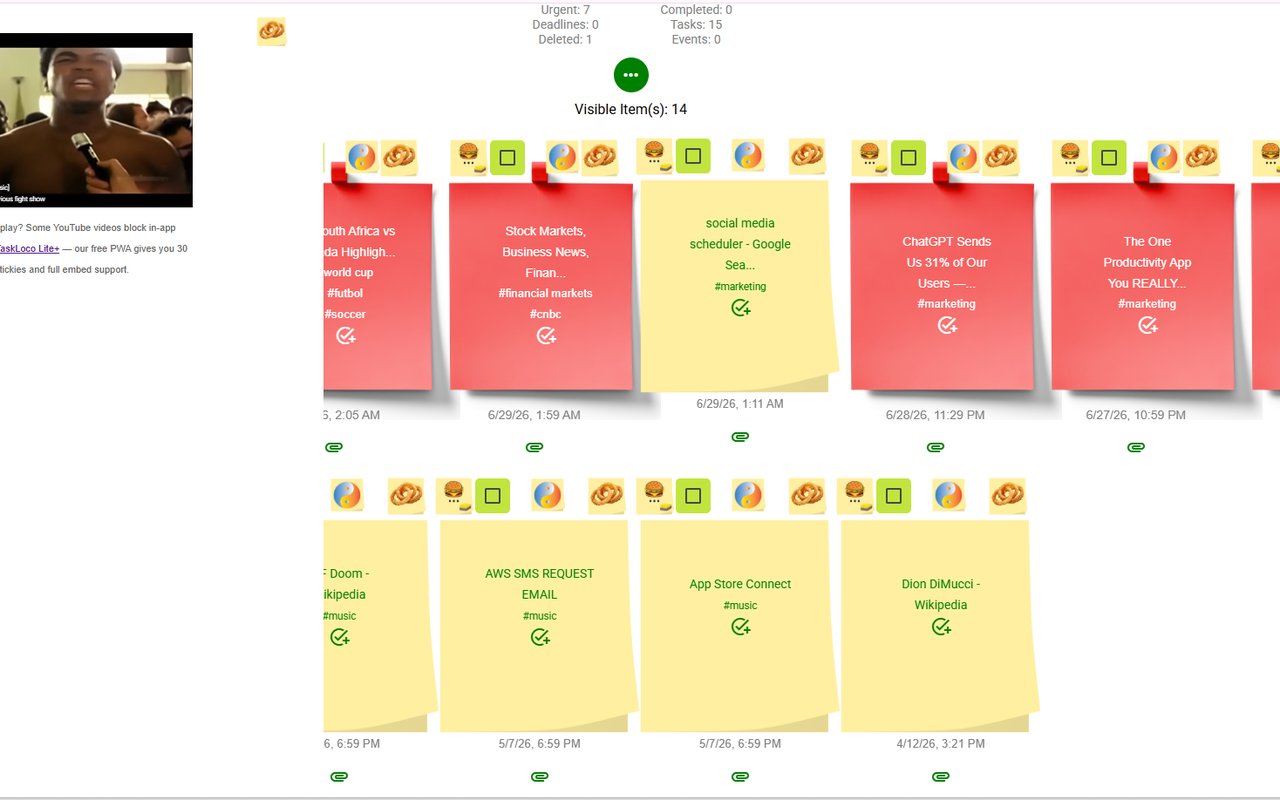
The visual format matters more than it sounds. When you return to your saved items and see a wall of titled, color-coded notes rather than a flat list of links, you orient yourself in seconds. You remember the context. You act on the thing or discard it — instead of endlessly scrolling past links you've forgotten.
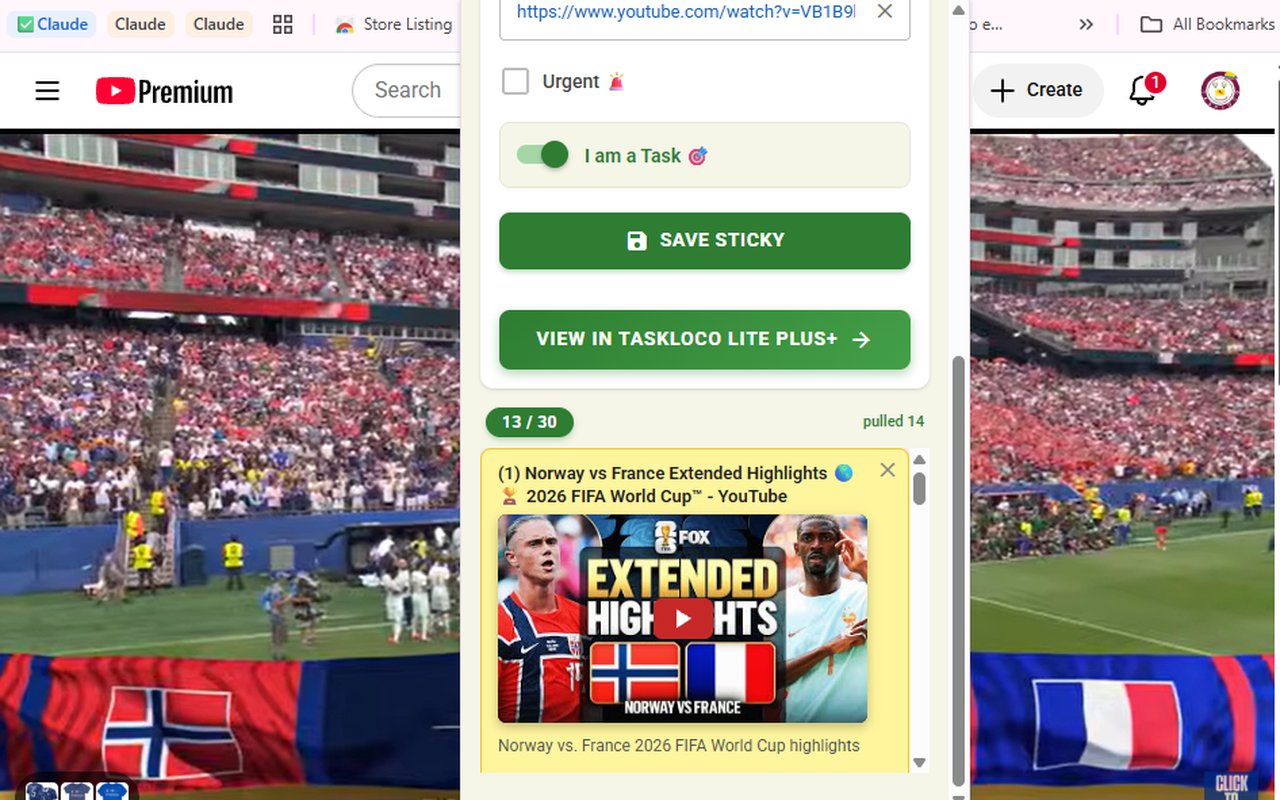
This also works differently for different types of content. A YouTube video saved this way doesn't just become a link — it embeds inside the note so you can play it directly without navigating away. That's a meaningful difference from a plain bookmark.
Making Your Saved Pages Findable Again
Saving is only half the problem. The other half is retrieval — finding the thing you saved three weeks ago when you actually need it.
Search is the most important feature in any save-for-later system. If you can't type a word and surface the relevant note in two seconds, the system will eventually collapse into a pile you avoid looking at. Tags help too, especially when you're saving across different topics — research for one project, articles for another, videos for something personal.
A few practical habits that work regardless of what tool you use:
- Add one word of context when you save. You don't need a sentence — just something like "good reference" or "check pricing" so future-you isn't starting from zero.
- Group by topic, not by date. Date-based archives sound organized but are almost never how humans retrieve information. Topic-based groups — research, reading, watching, ideas — are much easier to scan.
- Delete aggressively. A save-for-later system that never gets pruned becomes a digital attic. The easier it is to delete a note once you've used it, the healthier the whole collection stays.
The tools that support these habits natively — built-in search, tagging, visual layout — are the ones that outlast the ones that don't. Plain bookmark lists fail on all three counts. A visual clipper with search passes.
How the Sticky Note Web Clipper Fits Into This
The Sticky Note Web Clipper is a free Chrome extension by TaskLoco that puts the one-click method described above directly in your browser toolbar. You don't have to set anything up beyond installing it and signing in with Google.
Click the icon on any page and it creates a sticky note with the title and URL already filled in. You can add a tag or a quick note, or just save it instantly. YouTube videos embed inside the note and play directly — you don't need to follow a link back to watch them.
Everything you save syncs to TaskLoco, which means your notes are available on your phone (iPhone or Android) and on desktop — not just in the browser where you clipped them. If you save something at your desk and want to read it on the go, it's there. Search and tags work across everything.
The extension is free. There's no complicated onboarding. If the one-click visual clipping method sounds like the right fit for how you actually browse, adding it to Chrome takes about fifteen seconds.
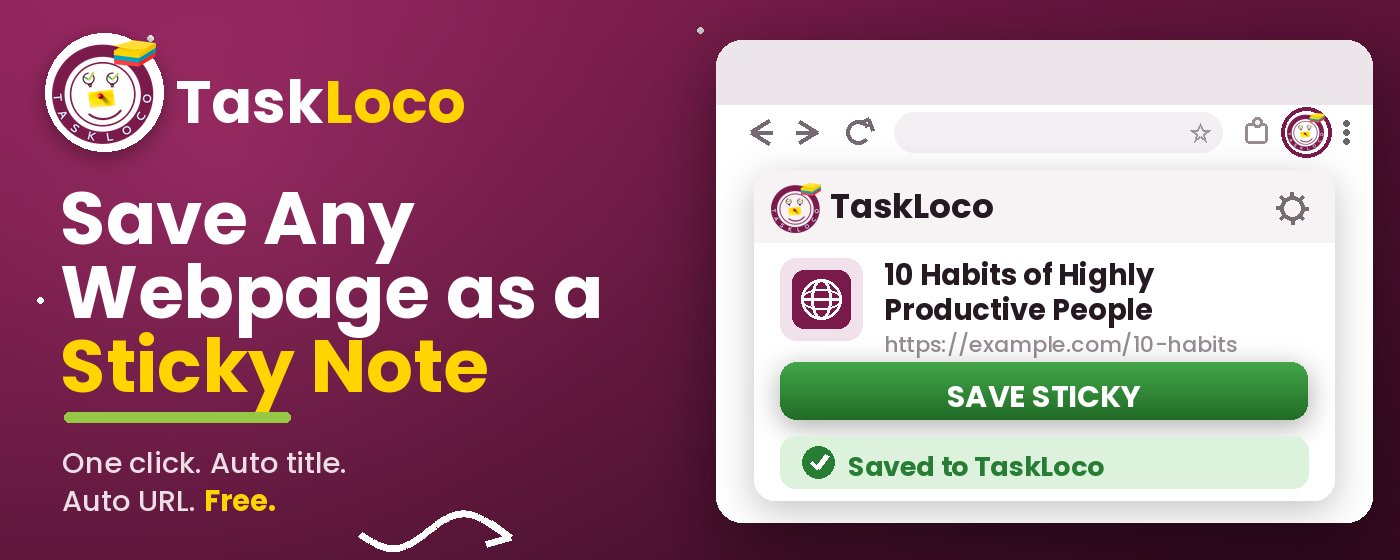
The Sticky Note Web Clipper is free. Install it from the Chrome Web Store, sign in with Google, and every page you clip becomes a sticky note you can find later.
Your clipped notes sync to TaskLoco across Chrome, desktop, iPhone, and Android — also free to start. No credit card to begin.
Get the Free Clipper
Sticky Note Web Clipper
- Free Chrome extension
- One-click save — any page, article, or video
- Title & URL auto-filled
- Tags & search
- Free forever
Synced to TaskLoco
- Sign in free with Google
- Your wall on Chrome, desktop, iPhone, Android
- YouTube videos embed & play in notes
- Visual sticky-note wall
- Free to start
Add It to Chrome — Free
One click saves any page, article, or YouTube video as a sticky note. Title and URL auto-filled.
Add to Chrome — FreeSee TaskLoco in Action
Frequently Asked Questions
What is the fastest way to save a web page without copy-pasting anything?
A browser extension that auto-fills the title and URL on save is the fastest method available. The free Sticky Note Web Clipper does this in one click — no copy-paste, no form to fill out.
Are browser bookmarks good enough for saving pages to read later?
Bookmarks work for pinning a site you visit regularly, but they're a poor fit for 'read later' use. There's no visual preview, no context for why you saved something, and the lists get unwieldy fast. A visual clipper that shows titles and lets you add quick notes is significantly easier to navigate when you come back to it.
Can I save YouTube videos as well as web pages?
Yes. The Sticky Note Web Clipper saves YouTube videos as sticky notes that embed the video directly — so you can play it inside the note without navigating back to YouTube. This works the same way as clipping any other page: one click, title and URL auto-filled.
Will my saved pages be available on my phone, not just my laptop?
Yes. Notes saved with the Sticky Note Web Clipper sync to TaskLoco, which is available on iPhone, Android, and desktop. Clip something at your desk and it's on your phone by the time you pick it up.
Is the Sticky Note Web Clipper free?
Yes — the extension is free, and TaskLoco has a free tier. Install it from the Chrome Web Store, sign in with Google, and start clipping.
How do I find something I saved weeks ago?
Search is your best tool — type any word from the page title or a tag you added and the relevant note surfaces immediately. The visual sticky note layout also helps because you can scan a wall of titled notes much faster than scrolling a flat list of links.
Do I need to create an account to use the web clipper?
You sign in with Google — no separate account creation, no password to set up. It takes about fifteen seconds to install the extension and sign in, and your notes sync across devices from that point on.
Born in Brooklyn. Powered by AWS. Your data stays yours.
TaskLoco is available on iPhone, Android, Chrome, and every web browser.