You found the perfect handmade lamp. Or a vintage jacket in exactly your size. Or a gift idea that you know will sell out before you're ready to buy. The listing is right there on screen — and then life happens, the tab closes, and it's gone. 'I'll remember it' is never a plan.
Etsy has a built-in favorites system, and that helps — but it only works on Etsy. What about the independent Shopify store you found through a blog post? The eBay auction? The boutique with no wishlist feature at all? You need one place where every listing lands, regardless of which shop it came from. This guide walks through every real method, so you can pick what works for you.
Method 1 — Use the Shop's Own Save Feature (When It Exists)
If you're shopping on Etsy, click the heart icon on any listing to add it to your Favorites. You'll find everything saved under your account at etsy.com/your/favorites/listings. It's clean, it shows the product image, and it updates if the seller edits the price or photos.
The limitation is obvious: Etsy favorites only hold Etsy listings. If the seller moves their shop to their own website, or you want to compare it with something on a different platform, your Etsy favorites list can't help you.
Other platforms with built-in save tools:
- eBay — Watch List. Found under My eBay. Shows when auctions are ending and tracks price drops.
- Amazon — Save for Later or Wish Lists. Works across devices if you're signed in.
- Shopify stores — Many (not all) have a wishlist feature, but it varies by theme and plugin. Some don't have one at all.
- Depop — Tap the heart on any listing to like it. Saved under your profile.
The catch with platform-specific saving: you end up with five different wishlists on five different sites, none of which talk to each other. When you're ready to buy, you're hunting through each account trying to remember where you saw what.
Method 2 — Save the URL Yourself (Browser Bookmarks and Notes Apps)
If the shop has no save feature, or you want everything in one place, the next obvious move is to copy the URL and stash it somewhere. Here are the real options and their actual tradeoffs:
Browser Bookmarks
Hit Ctrl+D (or Cmd+D on Mac) and the page is bookmarked. Fast, free, universal. The problem is that bookmarks are just a list of page titles and URLs — no image, no note about why you saved it, no way to tag it 'birthday gift' or 'check when payday hits'. After 20 bookmarks in a folder called 'Shopping', they become useless noise.
A Notes App (Apple Notes, Google Keep, Notion, etc.)
Copy the URL, open your notes app, paste it in, maybe type a quick description. This works well if you're disciplined about it — you can add context, group things, add your own images. The friction is the problem: switching apps, pasting, formatting. Most people do it twice and then go back to leaving tabs open.
Leaving Tabs Open
The most common method and the worst one. Your browser slows down, one accidental 'Close All Tabs' ends your wishlist, and you have no record of what you had. It's not saving — it's procrastinating the save.
A shared doc or spreadsheet
For serious shoppers who compare options — say, sourcing products for resale or building a gift list for multiple people — a shared Google Sheet with columns for URL, shop name, price range, and notes is actually solid. It's manual, but the structure pays off when you're comparing ten listings side by side.
Method 3 — Clip It as a Visual Sticky Note (One Click, Any Shop)
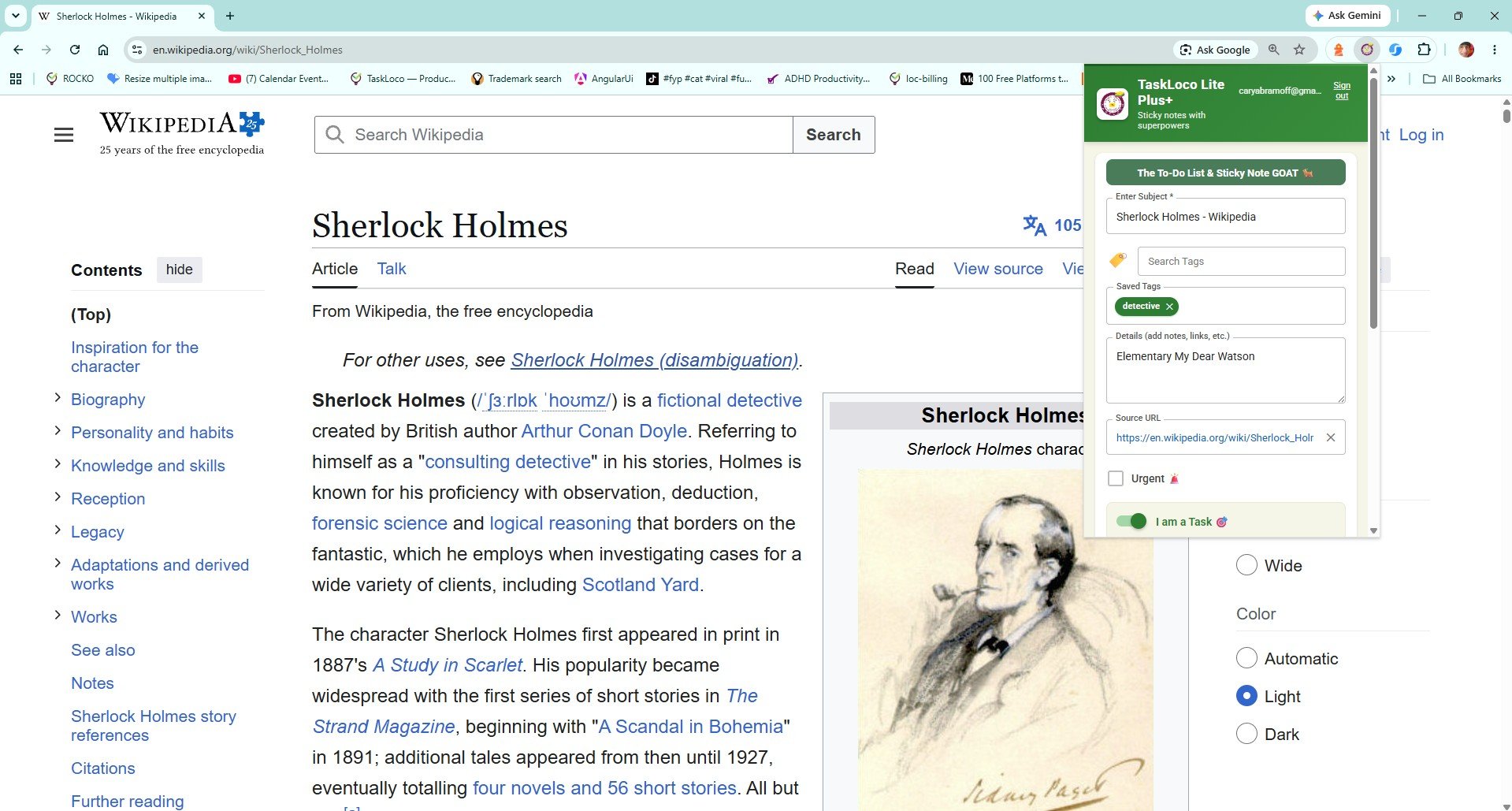
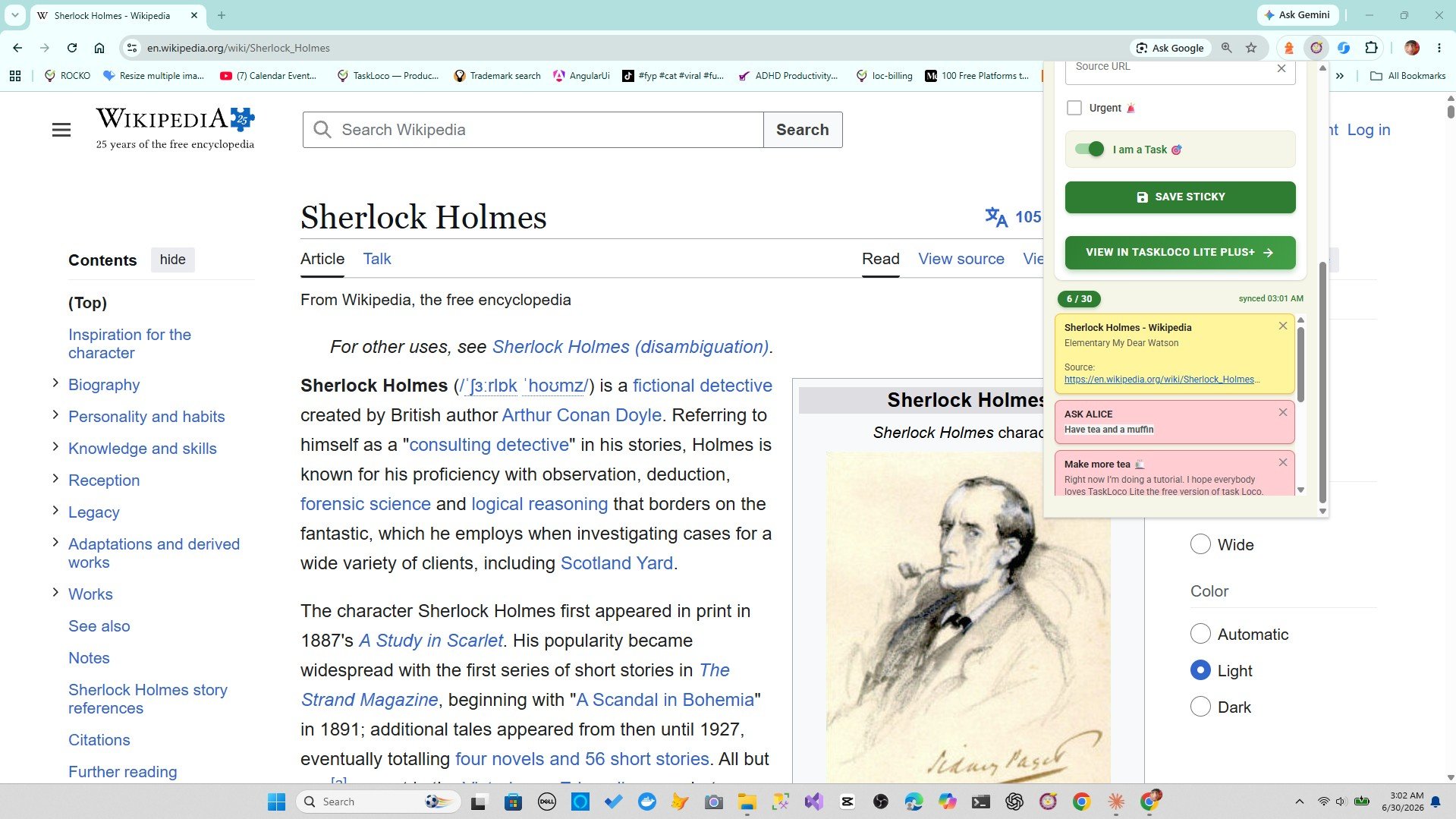
This is the approach that actually survives contact with daily browsing. Instead of copying URLs or hunting through platform wishlists, you clip the listing page directly from your browser — and it becomes a sticky note with the title and URL already filled in.
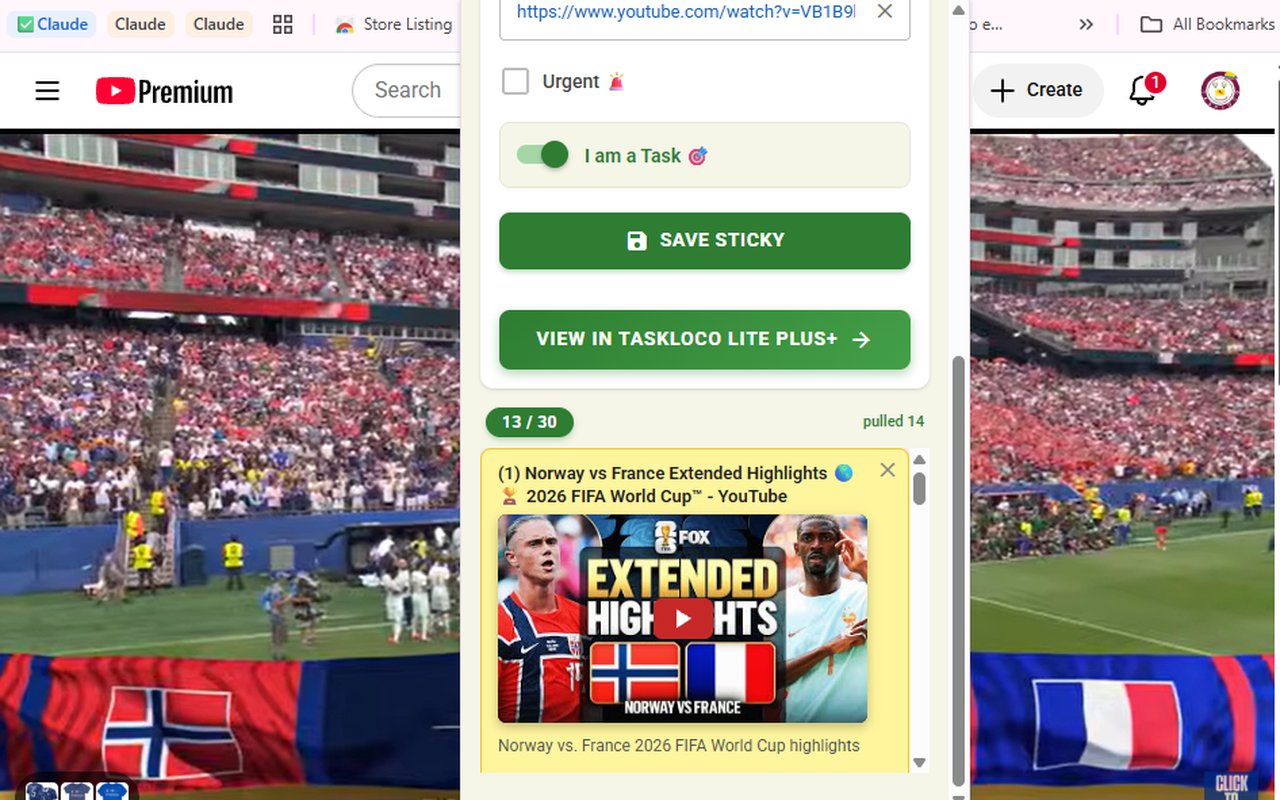
The free Sticky Note Web Clipper by TaskLoco is a Chrome extension that does exactly this. You're on an Etsy listing, a boutique's product page, an eBay auction, or literally any webpage — you click the extension icon in your toolbar, and a sticky note is created with the page title and URL already populated. No copy-pasting. No switching apps. You can add a quick personal note ('size M', 'birthday idea', 'compare with the other one') and it's done in seconds.
What makes this genuinely different from bookmarks:
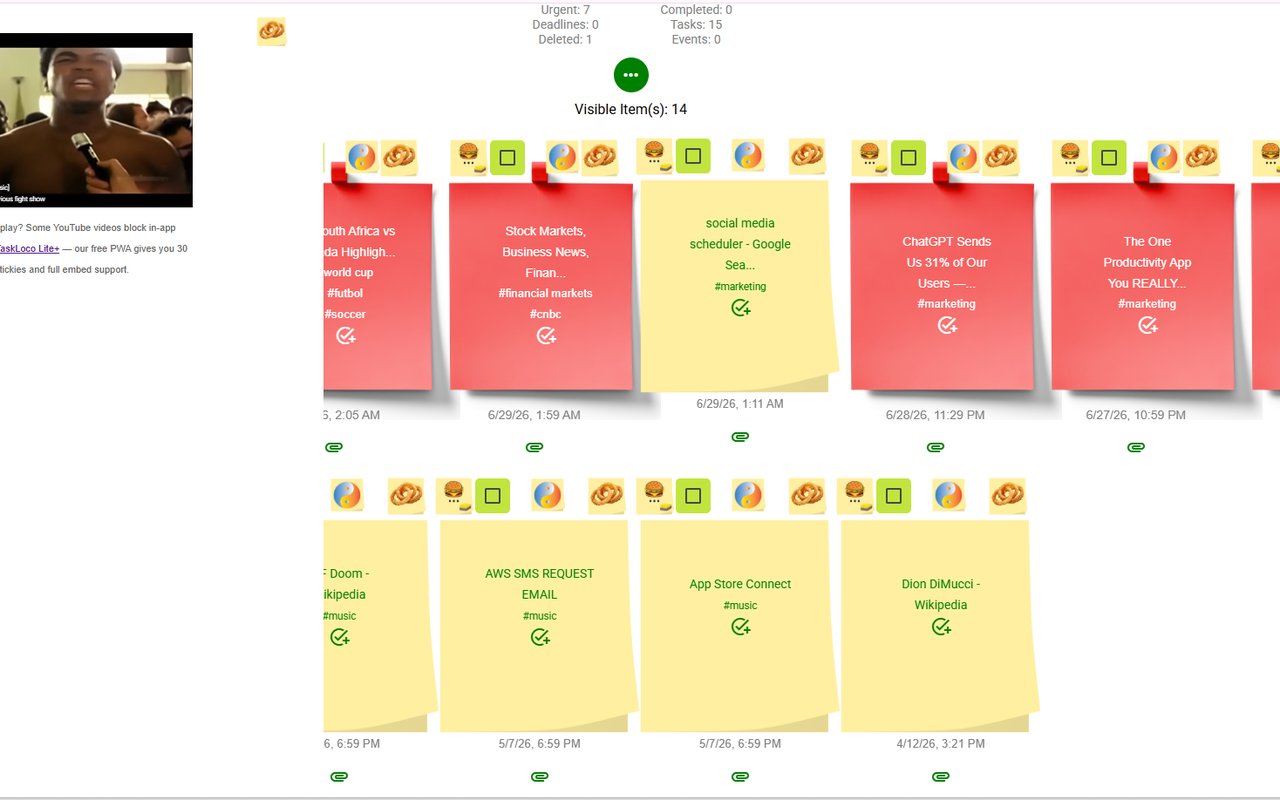
- Notes are visual — they live on a wall you can scan at a glance, not a flat list you have to read line by line.
- You can tag and search your saved listings to find things quickly — search 'lamp' or 'gift' and the right notes surface.
- Everything syncs to your phone and desktop through TaskLoco, so your shopping list is with you when you're actually ready to buy.
- It works on any shop — Etsy, Depop, eBay, a random Squarespace boutique, a brand's direct site. One workflow for everything.
This is especially useful for gift shopping, where you're saving items from a dozen different shops at once and want them all in one organized place you can revisit quietly without the other person seeing your browser history or an open tab.
How to Stay Organized Once You've Saved Your Listings
Saving is only half the job. The other half is being able to find what you saved when it matters — which is usually when you're on your phone, away from your laptop, and about to pull out your card.
Add a quick note when you clip. 'Want in blue if available', 'check stock closer to the date', 'compare with [other shop]'. Thirty seconds of context now saves real frustration later.
Use tags to group by purpose. If you're saving things for multiple reasons — birthday gift for one person, home decor ideas, resale research — tag them accordingly. When you search 'birthday' in TaskLoco, only those notes come up.
Review your saved listings before you shop. Set a habit: before you open a new shopping session, spend 60 seconds reviewing what's already clipped. You'll catch things you forgot you wanted, avoid impulse buying something you've already saved at a better price elsewhere, and actually clear your list by buying things intentionally.
Delete the note when you've bought or passed on the item. A wishlist that never gets pruned becomes as useless as a full inbox. Keep it current and it stays genuinely useful.
Whether you use browser bookmarks, platform wishlists, or the Sticky Note Web Clipper, the habit that matters most is reviewing what you've saved. The clipper just makes the saving fast enough that you'll actually do it consistently.
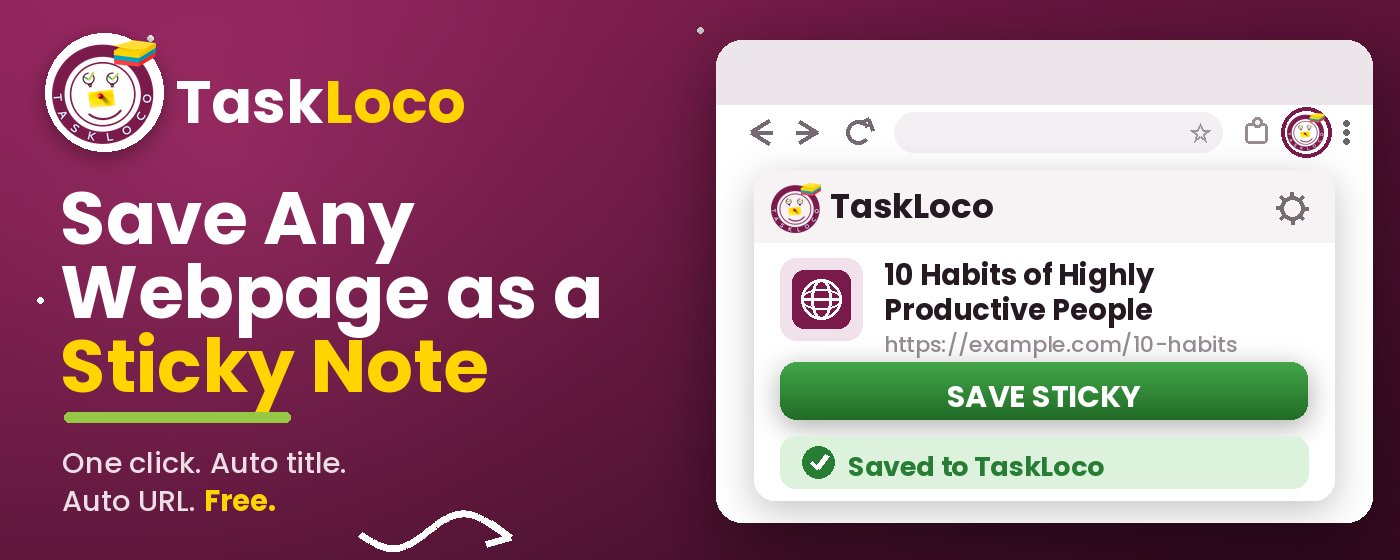
The Sticky Note Web Clipper is free. Install it from the Chrome Web Store, sign in with Google, and every page you clip becomes a sticky note you can find later.
Your clipped notes sync to TaskLoco across Chrome, desktop, iPhone, and Android — also free to start. No credit card to begin.
Get the Free Clipper
Sticky Note Web Clipper
- Free Chrome extension
- One-click save — any page, article, or video
- Title & URL auto-filled
- Tags & search
- Free forever
Synced to TaskLoco
- Sign in free with Google
- Your wall on Chrome, desktop, iPhone, Android
- YouTube videos embed & play in notes
- Visual sticky-note wall
- Free to start
Add It to Chrome — Free
One click saves any page, article, or YouTube video as a sticky note. Title and URL auto-filled.
Add to Chrome — FreeSee TaskLoco in Action
Frequently Asked Questions
Can I save an Etsy listing without creating an Etsy account?
Yes — if you use a browser-based method like bookmarks or the Sticky Note Web Clipper, you don't need an Etsy account at all. You're saving the page URL directly, not saving within Etsy's system. The free Sticky Note Web Clipper works on any webpage, so it captures Etsy listings the same as any other site.
What happens to my Etsy favorites if the seller closes their shop?
If a seller deactivates or closes their Etsy shop, their listings disappear from your Etsy favorites — you'll see a broken or empty entry. That's one reason to save listings outside Etsy's platform too. A clipped sticky note keeps the original URL and title even if the listing later becomes unavailable, so you at least have a record of what it was and can search for something similar.
How do I save a product listing on a shop that has no wishlist feature?
Any shop without a built-in wishlist can be handled by saving the page from your browser. The easiest method is the free Sticky Note Web Clipper — click the toolbar icon while you're on the product page and it creates a sticky note with the page title and URL already filled in. This works on Shopify stores, Squarespace boutiques, brand direct sites, or any other page without a native save option.
Is there a way to save shop listings on my phone?
On your phone, the simplest option is to use the Share menu and send the URL to a notes app. If you've used the Sticky Note Web Clipper in Chrome on your desktop, your saved notes sync to TaskLoco, which is available on iPhone and Android — so listings you clip at your desk show up on your phone automatically when you're ready to buy.
Does the Sticky Note Web Clipper cost anything?
The extension is free. TaskLoco also has a free tier. Install the clipper from the Chrome Web Store, sign in with Google, and start saving listings immediately — no payment required.
Can I save listings from multiple different shops in one place?
Yes — that's exactly what a browser-based clipper is built for. The Sticky Note Web Clipper works on any webpage regardless of platform, so you can clip an Etsy listing, an eBay auction, a Depop item, and a boutique product page all to the same note wall. Everything syncs to TaskLoco where you can search and tag across all of them.
Will I be notified if a price drops on a listing I saved?
The Sticky Note Web Clipper saves the listing as a static note — it doesn't track live price changes. For price drop alerts, eBay's Watch List or browser extensions specifically built for price tracking are better tools for that function. Use the clipper to build your wishlist across multiple shops, then periodically revisit the URLs to check manually.
Born in Brooklyn. Powered by AWS. Your data stays yours.
TaskLoco is available on iPhone, Android, Chrome, and every web browser.