You have seventeen tabs open right now. You know which ones you actually need — and which ones are just there because closing them feels like losing something. The problem isn't willpower. It's that browsers give you no good way to capture a page and move on. Bookmarks feel like a graveyard. Leaving tabs open feels like juggling.
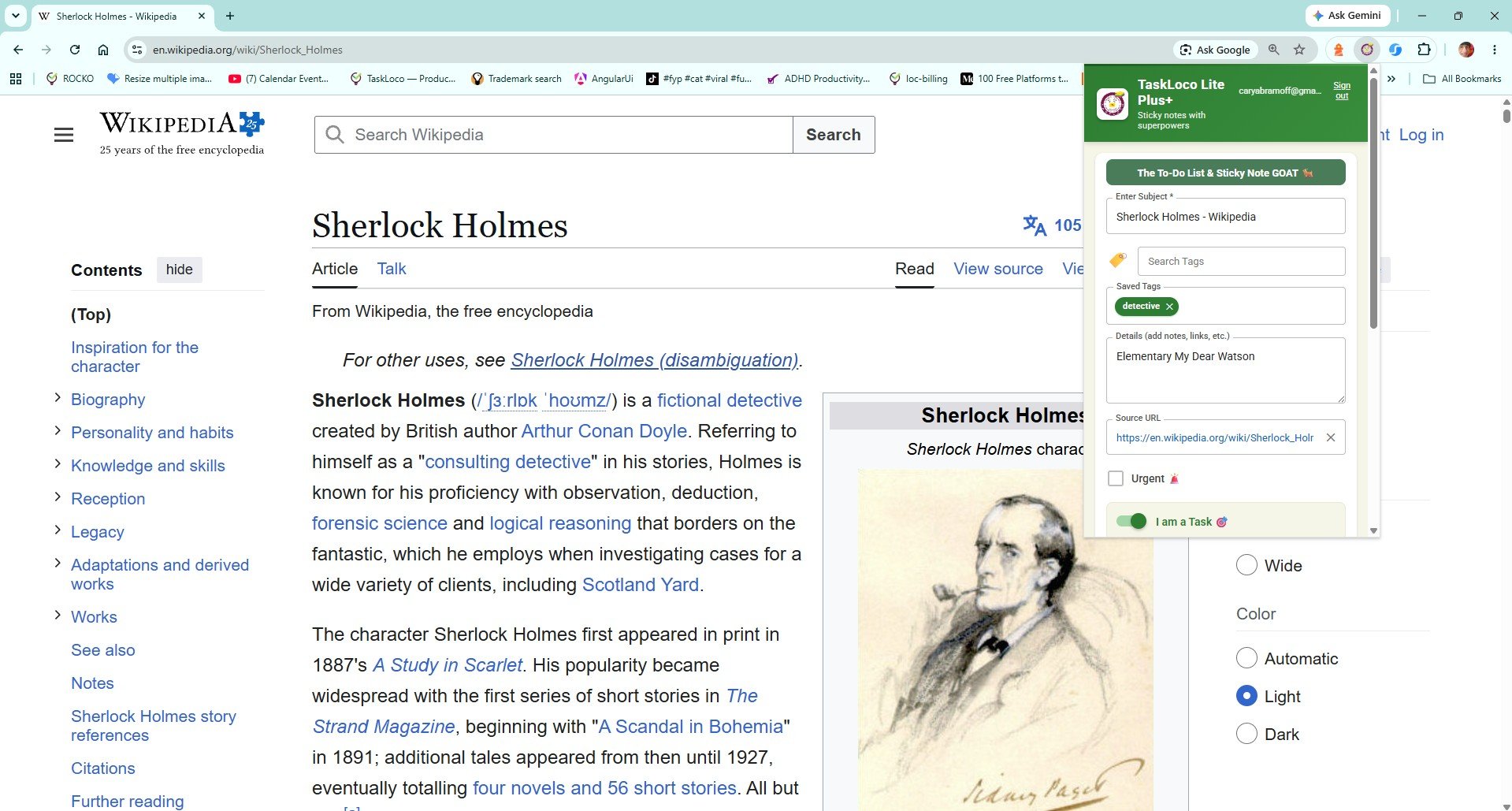
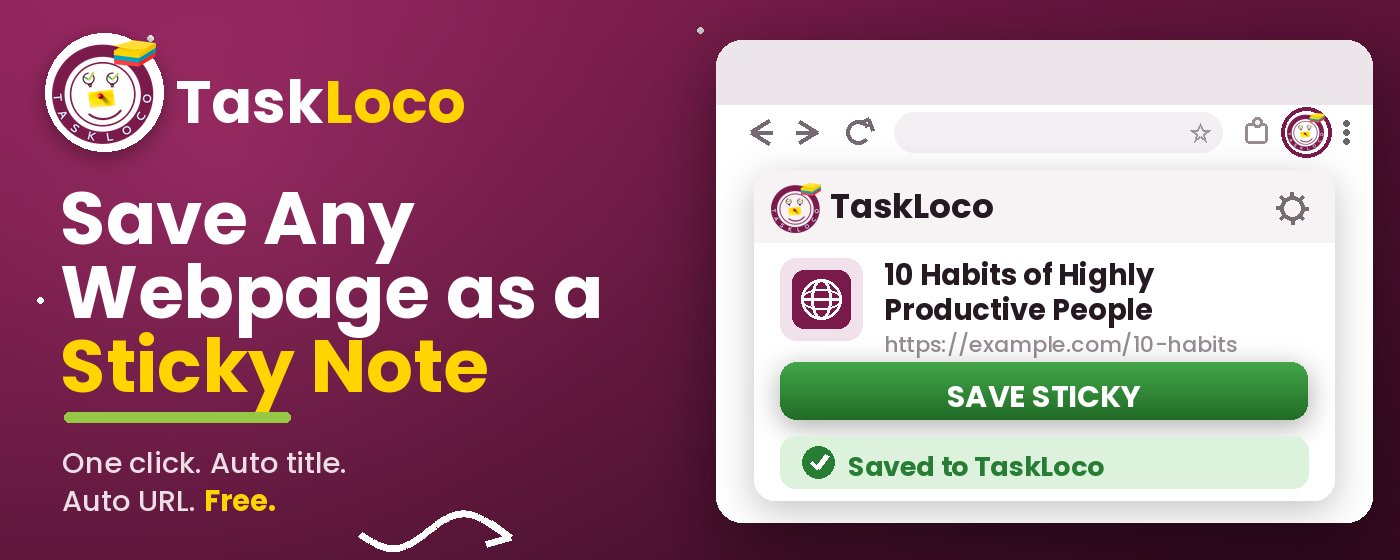
The fix is a Chrome extension that does one thing really well: saves the current page as a visual sticky note the moment you click it, auto-fills the title and URL, and lets you close that tab guilt-free. Your saved pages sync to your phone and desktop so they're waiting whenever you need them — not buried in a browser you left open on your work laptop.
What to Look For in a Tab-Saving Chrome Extension
Before you install anything, it helps to know what actually separates a useful tab-saving tool from one that creates a second pile of clutter. There are three things that genuinely matter — and most solutions fail at least one of them.
2. Visual recall. A flat list of URLs is nearly useless when you return to it a week later. You need enough context at a glance — a title, maybe a thumbnail or note — to remember why you saved something. Raw bookmarks fail here. A clipped sticky note with the page title visible does not.
3. Cross-device access. Tabs you save on your desktop computer should be reachable on your phone when you're away from it. If saved pages are locked to one browser on one machine, you've only half-solved the problem. Sync is not optional — it's the whole point of closing the tab confidently.
Any extension worth using should clear all three bars without requiring a complicated setup or a paid plan to get started.
Why Open Tabs Are Such a Bad Filing System
Keeping tabs open to remember pages is one of those habits that feels practical until you're staring at a row of favicon-only tabs and can't tell which one holds the article you actually need. The browser was designed to navigate the web, not archive it — and using it as a to-read list creates real problems.
- Memory and performance: Every open tab consumes RAM. On a laptop with a lot of tabs running, this shows up as sluggishness, fan noise, and battery drain. Saving and closing is objectively better for your machine.
- Context loss: Tabs vanish when a browser crashes, when Chrome updates, or when you accidentally close a window. Saved notes do not.
- No searchability: You can't search the content of your open tabs. A clipped note with a title and URL is at least searchable by keyword, which makes the difference between finding something in ten seconds or never finding it.
- Phone gap: Tabs open on your desktop are not automatically on your phone. Saved, synced notes are.
How the Sticky Note Web Clipper Solves This
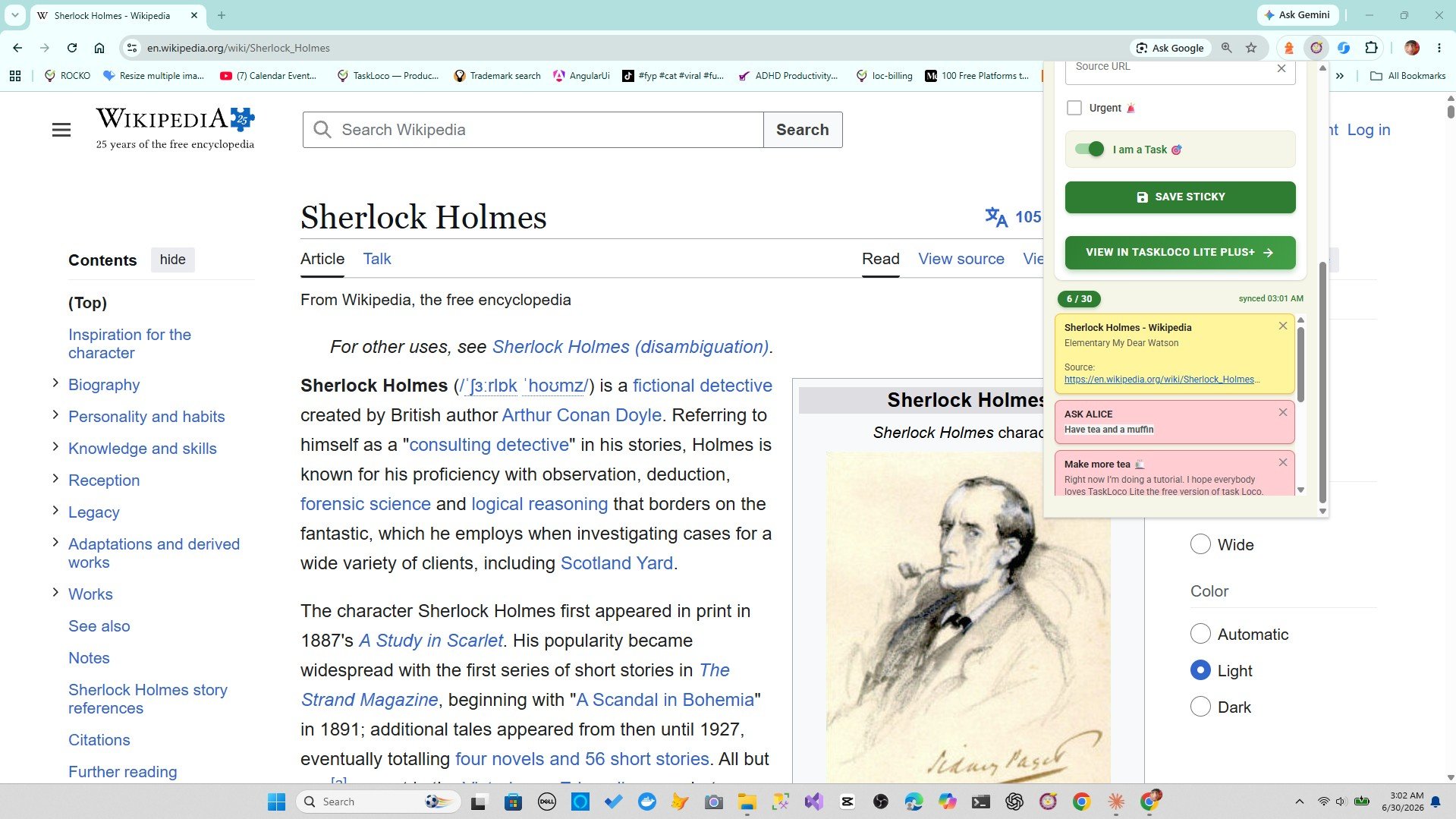
The Sticky Note Web Clipper is a free Chrome extension from TaskLoco. When you're on any page you want to keep — an article, a news story, a research source, a YouTube video — you click the extension icon in your Chrome toolbar. That's it. The page is saved as a visual sticky note with the title and URL already filled in. You can close the tab immediately.
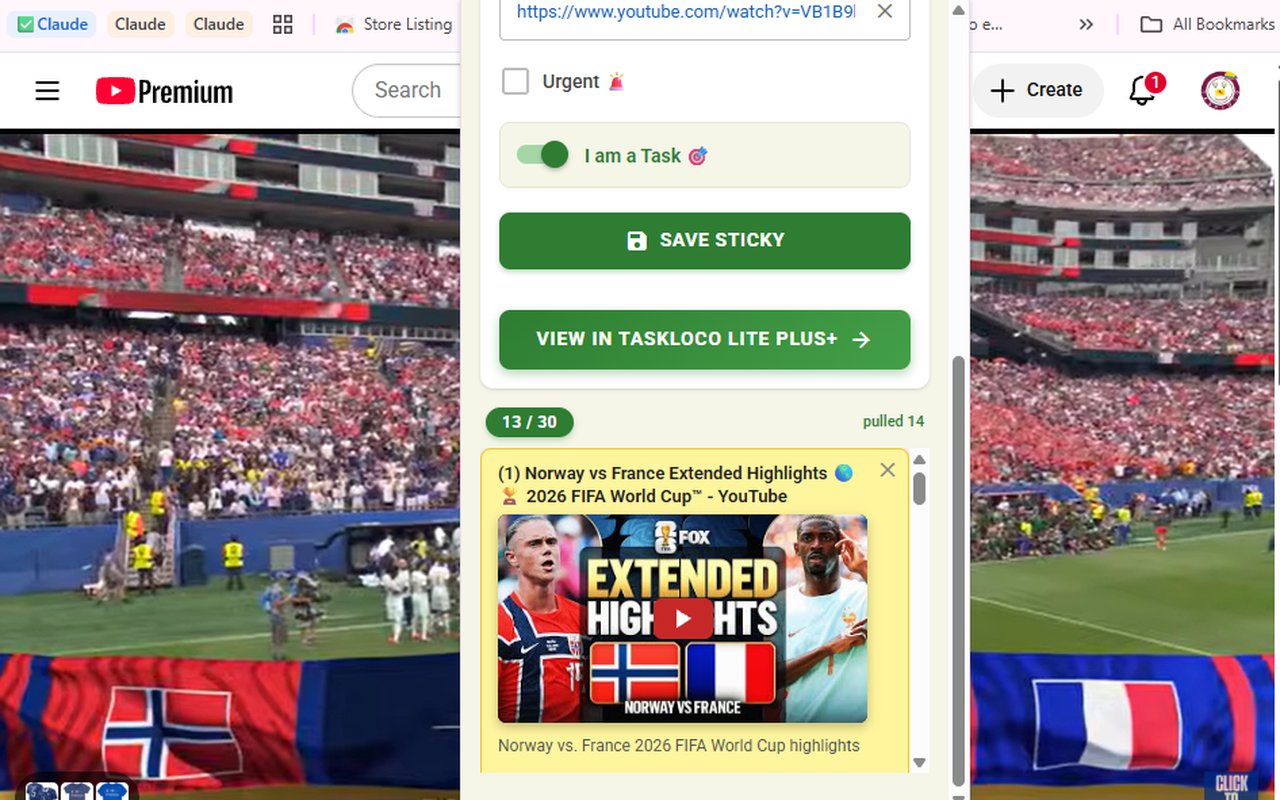
YouTube videos get special treatment: they embed directly inside the note and play there, so you don't need the tab open to watch them later. For everything else — articles, product pages, recipes, documentation, anything with a URL — the clip is instant and the note is searchable by title.
Every note you save syncs to TaskLoco, which you can access on the web, on desktop, and on iPhone and Android. So if you clip something on Chrome at your desk, it's there on your phone on the bus home. The sign-in is free with Google — no friction.
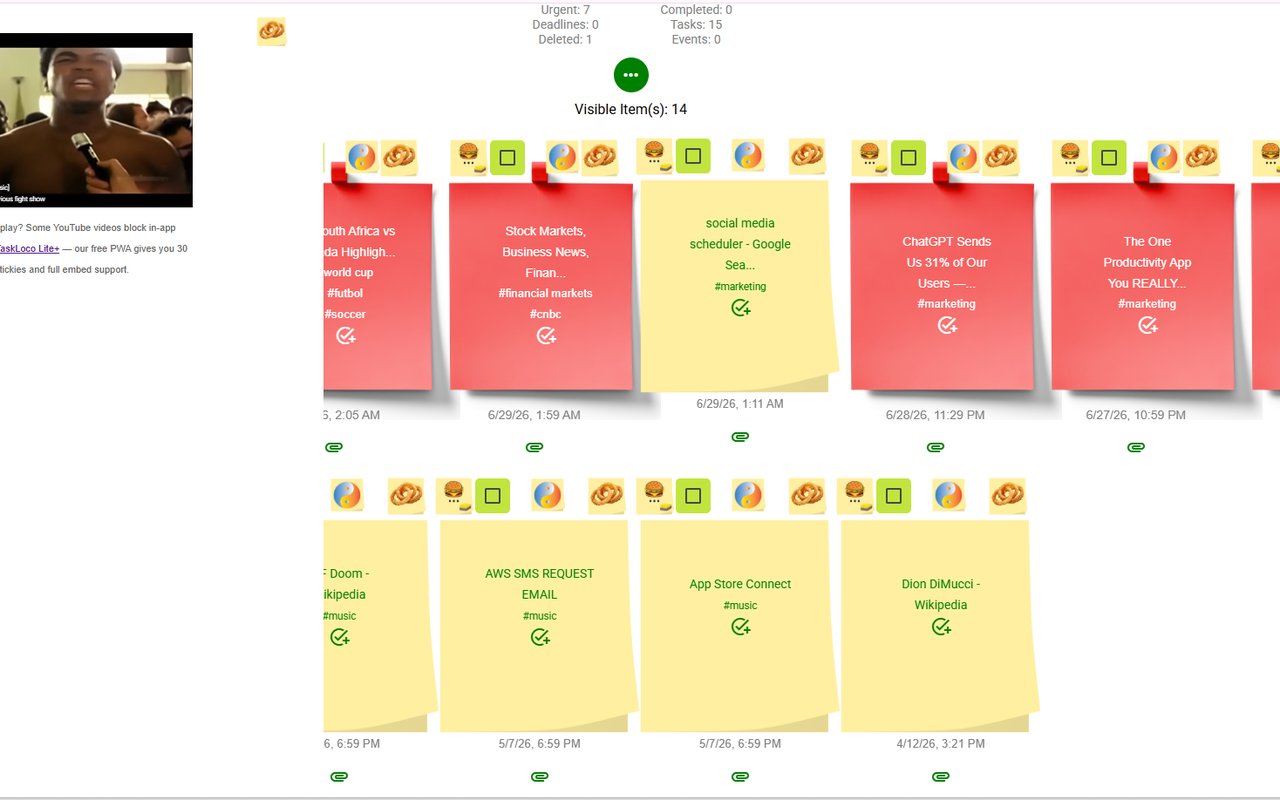
The visual sticky note format matters more than it might seem. When you return to your saved notes, you're looking at titled cards on a wall — not a list of indistinguishable blue links. You remember what things are, which means you actually come back to them.
The Comparison: Sticky Note Clipper vs. Leaving Tabs Open vs. Bookmarks
People dealing with tab overload typically try one of three things: leave the tabs open (the problem itself), bookmark everything (which just moves the mess), or try a dedicated read-later or clipping tool. Here's how those options compare on the criteria that actually matter.
Open tabs: Zero setup, but zero durability and zero cross-device sync. A browser crash or accidental window close wipes everything. No search. Kills performance. Not a real solution.
Standard bookmarks: Permanent, yes — but flat and visually undifferentiated. A folder of bookmarks looks the same whether it has five links or five hundred. There's no title-based visual layout, no way to add quick notes, and bookmark sync across devices is inconsistent depending on browser sign-in status.
Evernote Web Clipper / Notion Web Clipper: These save richer content but require you to be already inside those ecosystems. If you're not an Evernote or Notion user, you're signing up for a whole platform just to save a link. They're also more complex than necessary for the job of closing a tab and keeping the page.
Sticky Note Web Clipper: One click, visual notes, YouTube embeds, free sync to phone and desktop. It's built specifically for the capture-and-close workflow — not as a feature inside a bigger app you may not use.
How TaskLoco Compares
| Feature | Sticky Note Clipper | Open Tabs |
|---|---|---|
| Save the current tab | One click on the toolbar icon — done FREE | Leave it open or risk losing it |
| Auto-filled title and URL | Title and URL captured automatically, no typing FREE | You have to manually name and remember the URL |
| Visual layout of saved pages | Sticky note cards on a visual wall — easy to scan FREE | Row of favicon-only tabs or flat bookmark list |
| Survives browser crashes | Notes are saved to TaskLoco — crash-proof FREE | Open tabs are gone if the browser crashes or the window closes |
| Browser performance | Close tabs after clipping — browser runs lighter FREE | Every open tab consumes RAM and slows things down |
| YouTube video saving | YouTube videos embed inside the note and play there FREE | Must keep the tab open or lose the video |
| Search saved pages | Search by title or tags across all saved notes FREE | No search across open tabs; bookmark search is shallow |
| Sync to phone | Saved notes available on iPhone and Android via free TaskLoco FREE | Open tabs don't sync reliably to mobile; bookmarks depend on sign-in |
| Sync to desktop | Access saved notes on the TaskLoco web or desktop app FREE | Tabs are tied to the machine they're open on |
| Setup required | Install the extension, sign in with Google — under a minute FREE | No setup for tabs, but no organization either |
| Cost | Free Chrome extension; TaskLoco has a free tier FREE | Free — but the cost is performance, reliability, and lost context |
| Works on articles and research pages | Any page with a URL clips in one click FREE | Tab stays open, or you lose it; bookmarks give no context |
| Tags and organization | Add tags to notes for later filtering and search FREE | Tabs have no tagging; bookmarks require manual folder management |
| Confidence to close a tab | Clip it, close it — nothing lost FREE | Closing a tab feels like losing the page |
Who Should Use Each
Use the Web Clipper if…
- You open tabs to remember pages and your browser is constantly overcrowded
- You want to close tabs confidently without fear of losing anything
- You save YouTube videos and want to watch them later without keeping the tab open
- You research on desktop and want your saved pages on your phone too
- You want a visual, searchable collection of saved pages — not a flat bookmark list
Use Open Tabs if…
- You only ever have two or three tabs open and closing them isn't a problem
- You use bookmark folders obsessively and that system already works for you
- You never revisit anything you save, so the format doesn't matter
The Sticky Note Web Clipper is free. Install it from the Chrome Web Store, sign in with Google, and every page you clip becomes a sticky note you can find later.
Your clipped notes sync to TaskLoco across Chrome, desktop, iPhone, and Android — also free to start. No credit card to begin.
Get the Free Clipper
Sticky Note Web Clipper
- Free Chrome extension
- One-click save — any page, article, or video
- Title & URL auto-filled
- Tags & search
- Free forever
Synced to TaskLoco
- Sign in free with Google
- Your wall on Chrome, desktop, iPhone, Android
- YouTube videos embed & play in notes
- Visual sticky-note wall
- Free to start
Add It to Chrome — Free
One click saves any page, article, or YouTube video as a sticky note. Title and URL auto-filled.
Add to Chrome — FreeSee TaskLoco in Action
Frequently Asked Questions
Is there a Chrome extension that lets me close tabs but save the pages?
Yes — the Sticky Note Web Clipper does exactly that. Click the extension icon while on any tab and it saves the page as a sticky note with the title and URL auto-filled. You can close the tab immediately. The note is stored in TaskLoco and syncs to your phone and desktop.
Is the Sticky Note Web Clipper free?
Yes. The extension is free to install from the Chrome Web Store. TaskLoco, where your notes sync, also has a free tier. Sign in with Google and start clipping — no payment required.
What happens to my saved notes if my browser crashes?
Nothing happens to them — that's the point. Once you clip a page, the note is saved to TaskLoco, not to your browser session. A crash, a closed window, or a dead laptop won't touch your saved notes.
Can I save YouTube videos and watch them later without keeping the tab open?
Yes. When you clip a YouTube video with the Sticky Note Web Clipper, the video embeds directly inside the note. You can close the YouTube tab and watch the video later right from your note — no tab required.
How is this different from just using Chrome bookmarks?
Bookmarks give you a URL and a name — no visual layout, no search by context, and no way to see at a glance what you saved or why. The Sticky Note Web Clipper saves pages as visual sticky note cards that you can tag and search, and they sync to your phone automatically. Bookmarks don't do that.
Will my saved pages be available on my phone?
Yes. Every note you clip syncs to TaskLoco, which has a free iPhone and Android experience. If you clip something on Chrome at your desk, it's accessible on your phone. You don't need to email yourself links or keep the tab open on a device you carry with you.
How do I get started — what's the actual install process?
Go to the Chrome Web Store and add the Sticky Note Web Clipper. Sign in with your Google account — that's it. The extension icon appears in your Chrome toolbar. The next time you're on a page you want to keep, click the icon, and the tab is captured as a sticky note. Close the tab. Done.
Born in Brooklyn. Powered by AWS. Your data stays yours.
TaskLoco is available on iPhone, Android, Chrome, and every web browser.